
What is a sentence simplifier?
A sentence simplifier rewrites difficult sentences in clearer, simpler language. It replaces unfamiliar words, trims wordy phrases, and breaks down long sentences. The goal is to make the same message easier to read.
Use a sentence simplifier for a confusing paragraph, a formal email, or a draft that feels hard to follow. Sentence simplification focuses on how you express an idea. A summary, by comparison, selects the main points and leaves out supporting details.
How Sentence Simplifier works
Our sentence simplifier processes the text you enter and suggests a clearer version. It can make 4 types of changes:
- Simpler words: Replace formal wording such as “utilize” with “use” when the context fits.
- Shorter sentences: Split a sentence with several ideas into separate statements.
- Direct phrases: Change “conduct an evaluation of” to “evaluate.”
- Clearer sentence structure: Change “The report was written by the team” to “The team wrote the report.”
These changes depend on your text. Keep words that carry meaning, including “may,” “must,” and “not.” A shorter sentence is only useful when it still says what you intended.
How to Use Our Sentence Simplifier?
Paste your text, click Generate, review the output, and copy the result. This step-by-step tutorial shows the controls you need.
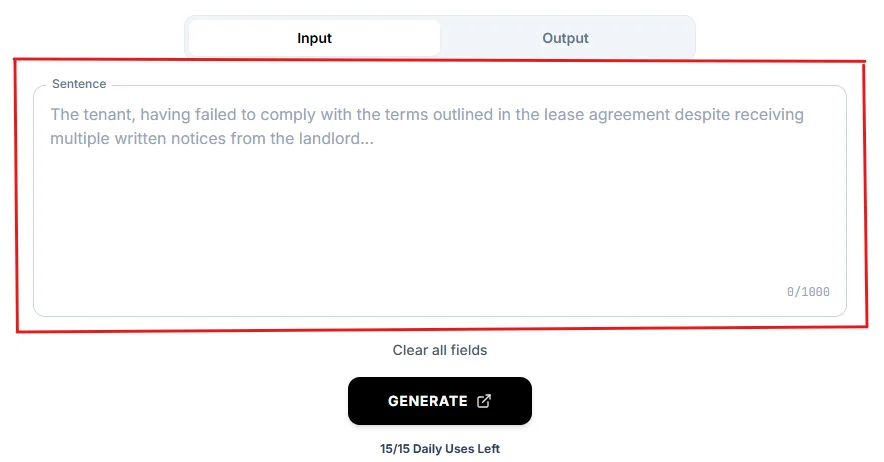
1. Input Your Complex Text
Type or copy-paste any text passage up to 1,000 characters into the “Sentence” box on the Input tab. Include complete sentences so the tool has enough context. Split a longer document into smaller passages before you begin.
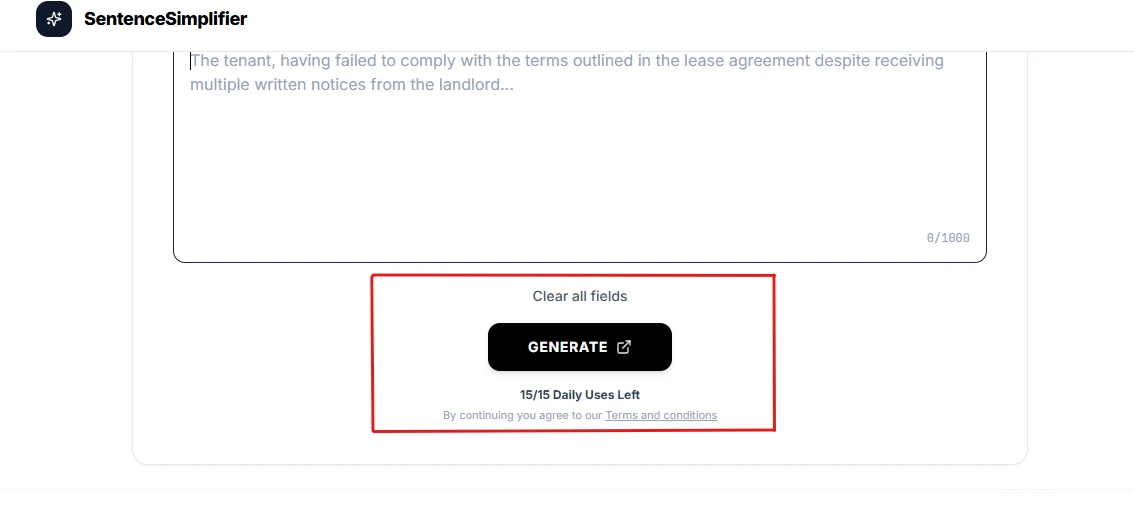
2. Click Generate
Click GENERATE to simplify your text. The result appears on the Output tab. You get 15 free generations per day, and the counter below the button shows how many remain.
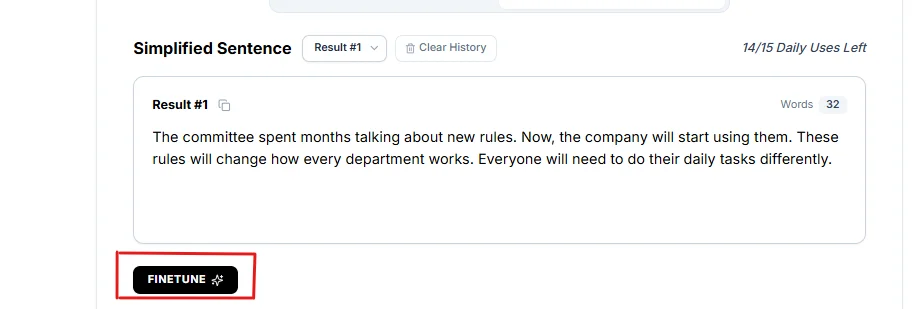
3. Finetune Your Output
Read the result beside your original text. Check the facts, names, numbers, and tone. Click FINETUNE to request another version when the wording still feels difficult. Finetune updates the selected result and does not use another daily generation.
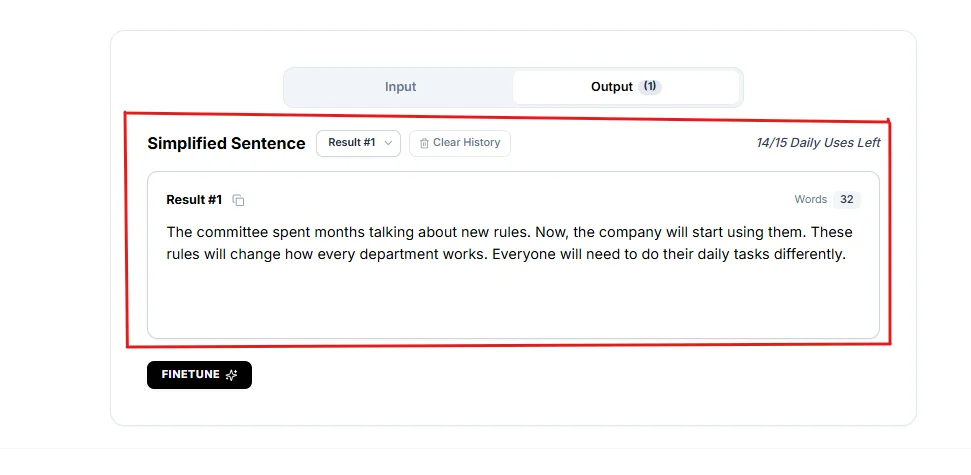
4. Copy To Clipboard
Click the copy icon beside the result heading. Paste the simplified text into your email, document, or editor. Make any final changes there before sharing it.
Who is this tool for?
This website is intended for users aged 18 and above, including students and business owners who want clearer text. Teachers, professionals, writers, and English learners can use the tools too.
- Students: Break down a dense reading passage or revise an essay draft.
- Teachers: Prepare simpler explanations and reading activities for a class.
- Business owners and professionals: Make customer emails, product descriptions, reports, and instructions easier to follow.
- Writers: Revise articles, product descriptions, and website copy for the intended reader.
- Non-native English speakers: Compare complex wording with plain English and learn common expressions.
What To Know About the Sentence Simplifier
Our tool accepts English sentences and paragraphs up to 1,000 characters. You can use it online without signing up or installing an app. The Input tab holds your original passage; the Output tab shows the result, word count, and copy control.
The artificial intelligence (AI) sentence simplifier aims to preserve your message, but a rewrite can miss a detail or change a term. Review each result before using it. Keep the original source when studying or quoting a passage; a simplified version is a paraphrase, not a direct quote.
Simplifying text does not check whether the claims in it are true. Keep precise technical terms when a simpler substitute would change their meaning.
Why Use a Sentence Simplifier? Benefits for Everyday Writing
Use a sentence simplifier to reduce difficult wording and make your message easier to follow. There are 4 practical benefits:
Improved Readability
Common words and shorter sentence structures help readers follow one idea at a time. A text simplification tool gives you a draft to review when a passage feels crowded or unclear.
Educational Use
Students can compare the original and simplified versions to see how wording changes. Teachers can pair a simpler passage with the source and ask students to explain the same idea in their own words.
Clearer Communication
Direct wording makes requests, instructions, and next steps easier to find. Use plain language in a client email or team update so the reader can see what to do.
Multiple Uses
Use the tool for study notes, emails, articles, reports, and everyday messages. Choose wording that fits your reader. A school explanation and a work report can both be clear while keeping different tones.
Real Life Use Case
A project coordinator needs to tell a client about a delayed delivery. The draft reads: “We wish to notify you that the delivery of your order has been postponed until Friday as a result of a delay at the warehouse.”
A clearer version is: “Your order will arrive on Friday after a delay at the warehouse.” The coordinator checks that Friday is still correct, then copies the sentence into the email.
Using a sentence simplifier here makes the update more direct while keeping the delivery date and reason for the delay.
Short Example
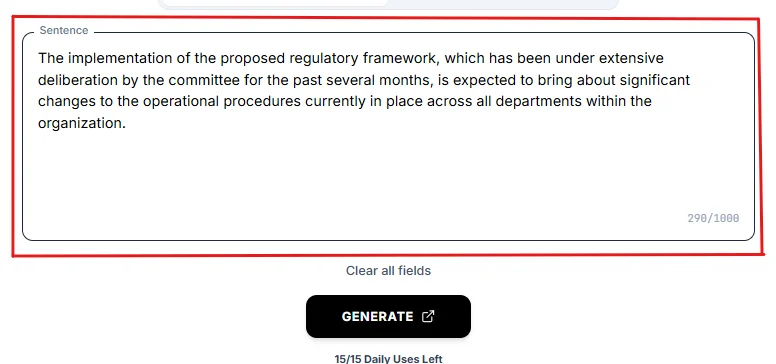
This example shows how to split a long sentence while keeping its timing and level of certainty.
Sample Original
Sample Output
The revised text keeps “proposed” and “is expected to.” It does not claim that the rules have been approved or that the changes are certain. The screenshots illustrate the tool; generated wording can differ from this edited example.
Tips for Best Results
Use these 6 checks to get a useful simplified draft:
- Enter complete sentences. Include enough context to show who does what.
- Work in short passages. Keep each input within the 1,000-character limit.
- Check the details. Compare names, numbers, dates, and conditions with the original.
- Keep the intended meaning. Make sure the rewrite preserves negatives and words that express uncertainty.
- Match your reader. Keep familiar subject terms and edit wording that sounds too casual or too formal.
- Read the result aloud. Check that it flows naturally. Clearer text does not need to meet a fixed word-count reduction.
Choose the right writing tool
| Task | Tool |
|---|---|
| Make difficult wording clearer | Sentence Simplifier |
| Separate long structures | Sentence Splitter |
| Reduce wordiness | Sentence Shortener |
| Make the actor clearer | Passive to Active |
| Fix sentence boundaries | Run-on Fixer |
FAQs
Can this tool simplify paragraphs, not just sentences?
Yes, you can simplify paragraphs up to 1,000 characters. Paste a complete passage into the input box. Divide longer text into sections that keep related ideas together.
Does it change the original meaning?
The goal is to keep the original meaning, but a rewrite can change a detail. Compare the output with your source before using it. Pay attention to facts, conditions, and technical terms.
Is this tool suitable for non-native English speakers?
Yes, it can help English learners read complex wording in simpler language. Compare both versions to learn common words and sentence patterns. It rewrites English text rather than translating between languages.
Do I need to download anything?
No, you can use the tool through your web browser. There is no installation step. Open the page on your computer, tablet, or phone and enter your text.
Can it simplify technical or professional language?
Yes, it can suggest simpler wording for technical passages and professional writing. Keep specialized terms when they carry a precise meaning, and check that the explanation remains accurate.
Is this tool free to use?
Yes, our sentence simplifier offers 15 free generations per day without signup. Finetune does not count against that daily limit. Each input can contain up to 1,000 characters.
Can I use it for different kinds of writing?
Yes, you can use it for emails, study notes, reports, articles, and other English text. Review the result for tone. Creative writing may need distinctive wording that you want to keep.
Can I edit the simplified text?
Yes, copy the result and edit it in your own document or text editor. You can request another version with FINETUNE before copying.
Conclusion
Our sentence simplifier helps you turn complex writing into plain English for study notes, emails, and everyday messages. Paste your text into the input box, click Generate, and review the output. Finetune the wording or copy it into your document for a final edit. Keep the facts and tone that matter to your reader.